Guides
Part of Collecting photos for childhood photo games without a consent mistake
Childhood photo games picture quiz: photo-handling workflow
A childhood photo games picture quiz needs a clear photo-handling workflow: collect, number, prepare, print or project images, then delete working copies.
The hard part of this round is not choosing the pictures. It is everything that happens to a file between the moment somebody sends it to you and the moment it is in front of a room, and then what happens to it afterward. For a celebrity-trivia variation, a prompt might ask players to identify Dolly Parton from an authorized childhood image; the image still needs to be cleared for display.
Most of the ways this format goes wrong are production failures. An image nobody can see. A sheet that cannot be renumbered when one item is pulled. A folder that still exists a year later. None of those are about the game and all of them are about the handling.
What to take away
- Build the sheet so any single item can be removed in two minutes without renumbering everything else.
- Reproduction decides difficulty more than the choice of picture does. A dark print is a hard round nobody designed.
- The images arrive from people and they leave when the evening does. Plan the deletion at the same time as the collection.
The chain from inbox to sheet
Write down the steps once and follow them every time, because this is where copies multiply. Microsoft Photos or Apple Photos can prepare a working copy; Microsoft PowerPoint or Google Slides can hold the presentation. Keep the image files as JPEG or PNG, and choose one workflow rather than creating copies across multiple services.
Collect in one place. One inbox, one folder, nothing forwarded. Every extra location is a copy you will forget when it is time to delete.
Rename on arrival to an item number, not to a person's name. That single habit means the sheet, the answer key and the folder are all keyed the same way, and it means a filename glimpsed over a shoulder gives nothing away.
Crop before you do anything else. Other people in the frame come out at this stage, permanently, in the working copy.
Resize the working copy once to the size the sheet needs, save it as a JPEG or PNG, and use that copy in the presentation. Keep the original out of the presentation file; carrying originals through the process means the originals are what end up there.
Keep a one-line record per item: who submitted it, who is pictured, what the written photo-use permission form authorizes (showing it to this group, making prints or copies, and when to delete them), and what the question will be. Ask the person pictured for permission; the sender may not be that person. If someone else took the picture, the person's permission is not the photographer's permission to reproduce it, so record that permission too. That line is what lets you pull an item cleanly, and it is the record the whole childhood photo games approach runs on.
Numbering that survives a withdrawal
Somebody will ask to be taken out, sometimes on the night, and a sheet that cannot absorb that is a sheet that pressures people not to ask.
Numbering that survives a withdrawal
Images
- Numbering
- 1 to 20
- Withdrawal
- Gap is fine
- Total printed
- None
- Scoring
- Proportion
- Page
- Separate
Answer list
- Numbering
- Alphabetical names
- Withdrawal
- No renumbering
- Total printed
- None
- Scoring
- Proportion
- Page
- Separate
Number the images independently of the answer list. Images run one to twenty; names sit in their own alphabetical list. Removing image eleven leaves a gap, and a gap is fine.
Do not print a total. A sheet that says twenty questions has to be reprinted when there are nineteen. A sheet that just runs out does not.
Score out of what was asked, not out of what was planned. Say at the start that the round is scored as a proportion, and a missing item costs nobody anything.
Keep the answer list on a separate page from the images. That way one page can be reprinted without the other, and it also stops the answers being visible through the paper.
Reproduction sets the difficulty
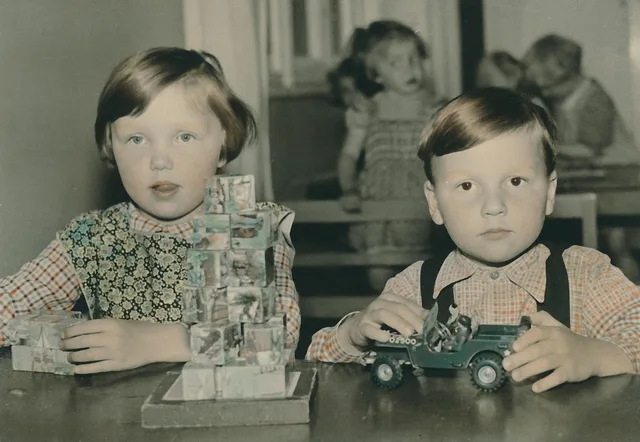
Childhood photographs are the worst material a picture round can be given. They are small, often faded, frequently scanned badly, and the detail that carries recognition is a face at a fraction of the frame.
Reproduction checks before the round
- Print or project larger than you think
- Check the print, not the screen
- Increase contrast when a scan is soft
- Test one sheet on the actual device
Print or project them larger than you think. A face needs to be a decent size on the page or the round becomes a test of eyesight, and image resolution sets a hard limit on how far a scan of a small print can be pushed before it turns to mush.
Check the print, not the screen. A photograph that looks fine on a laptop can print dark to the point of uselessness, and a monochrome office printer turns a mid-toned image into a mess of halftone dots.
Increase contrast rather than size when a scan is soft. Enlarging a soft image makes it bigger and no clearer.
Test one sheet at the size and on the device you will actually use. Ten minutes of testing prevents the failure that ruins the round, and the general treatment of this is in photo quizzes.
Ordering and the reveal
The sequence is a design decision and it changes how the round feels.
Ordering and reveal sequence
- Open with an easy-to-place item
- Spread quickly recognized people apart
- Reveal in the order the sheet ran
- Read plainlya number and a name
Open with an item that is easy to place. The round is unfamiliar and a first item that stumps everybody makes the whole thing feel like a trick.
Spread the people you expect to be recognized quickly. Clustering them means one part of the sheet is trivial and another is a wall.
Reveal in the order the sheet ran, not in order of difficulty. Players are marking against their own sheet and any reordering costs a minute of confusion.
Read the reveal plainly: a number and a name. Whatever you were about to add about the picture belongs to the person in it, and the difficulty levers for a recognition round are set out in guess the celebrity picture quiz.
After the round
The last step is the one that gets skipped because the evening is over.
After the round cleanup
- Delete working folder and resized copies
- Delete the presentation file
- Delete the messages the images arrived in
- Keep sheet layout and notes
- Return physical prints
- Confirm to the group that files are gone
Delete the working folder, the resized copies, and the presentation file, plus any exported copies you made. Then delete the messages the images arrived in, which is where the copy that matters usually is. Check the inbox trash and any app's recently deleted area as well.
Keep the sheet layout and the notes about what worked. Neither contains an image.
Return anything you were given physically. Prints handed over at a party get left on a table, and a printed photograph is often the only one.
Say that it is done. One message to the group confirming that the files are gone costs nothing and is the thing that makes people willing to play again next time. The stripped-down handling used in a harder visual round is described in hard photo quizzes.
Common questions
Can I reuse the sheet next year?
The layout, yes. The images, no, because the room has already seen them and the permission was for one evening.
What size should the images be on a printed sheet?
Large enough that a face is comfortably visible at arm's length, which usually means four to six images per page rather than the nine or twelve people try first.
Is projecting better than printing?
It is better for faded material and worse for a room where people are seated badly. If you project, keep a printed set as a fallback, because a failed projector ends the round.
How do I handle an image that is simply too poor to use?
Ask the person for another one. Do not run a bad scan and hope, and do not enhance it into something that is no longer what they sent you.
Should the answer sheet name the source of each image?
For the guest version it names who gave it and what they agreed to. For a public-figure version it names the published source, exactly as career quizzes picture quiz sets out.